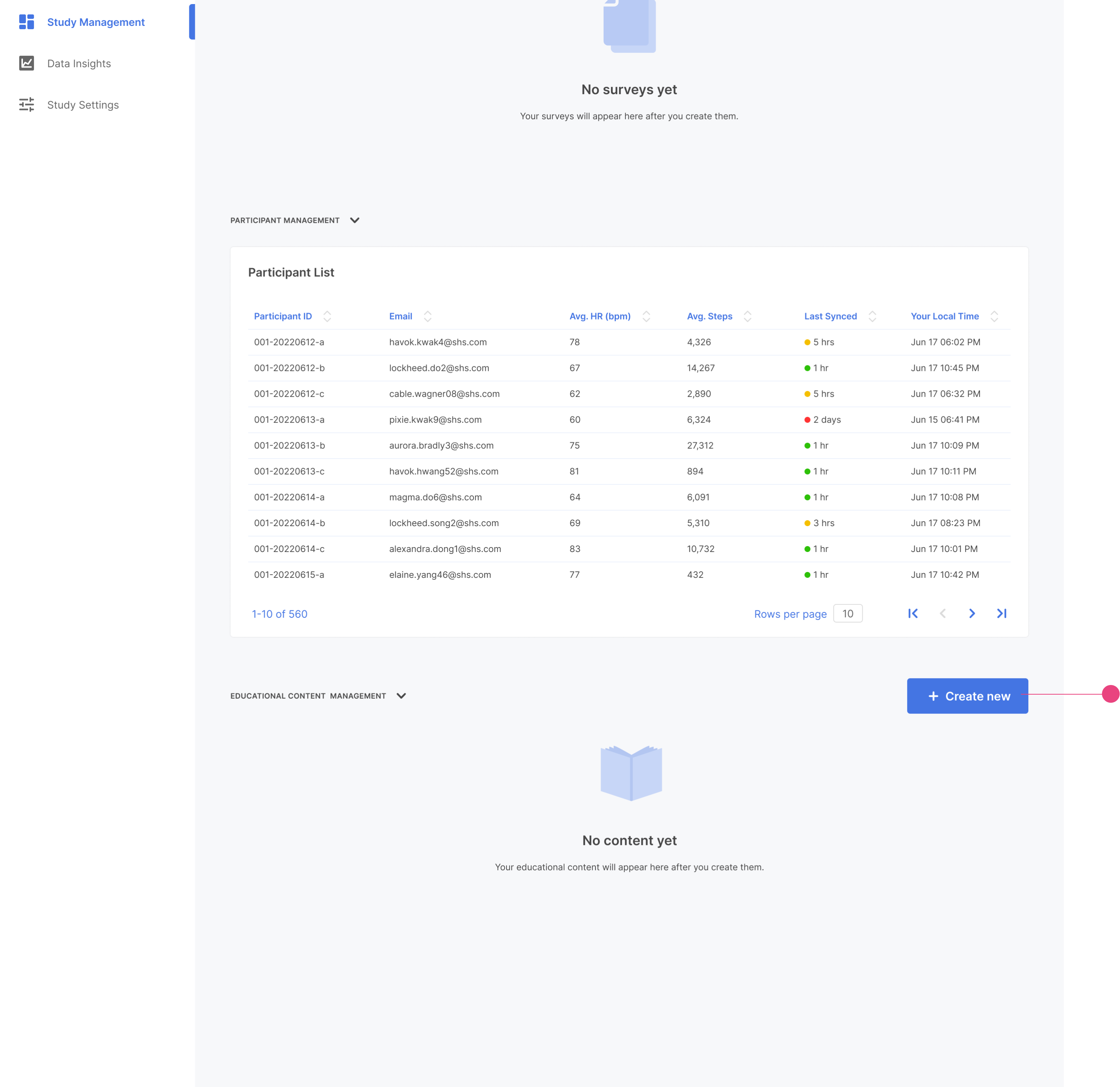
You can add educational content to help users understand the studies, provide articles, or add texts answering their questions. This shows in the Education section within the phone.
To add a publication go to Survey Management and scroll down to Educational Content Management.
Click Create New.
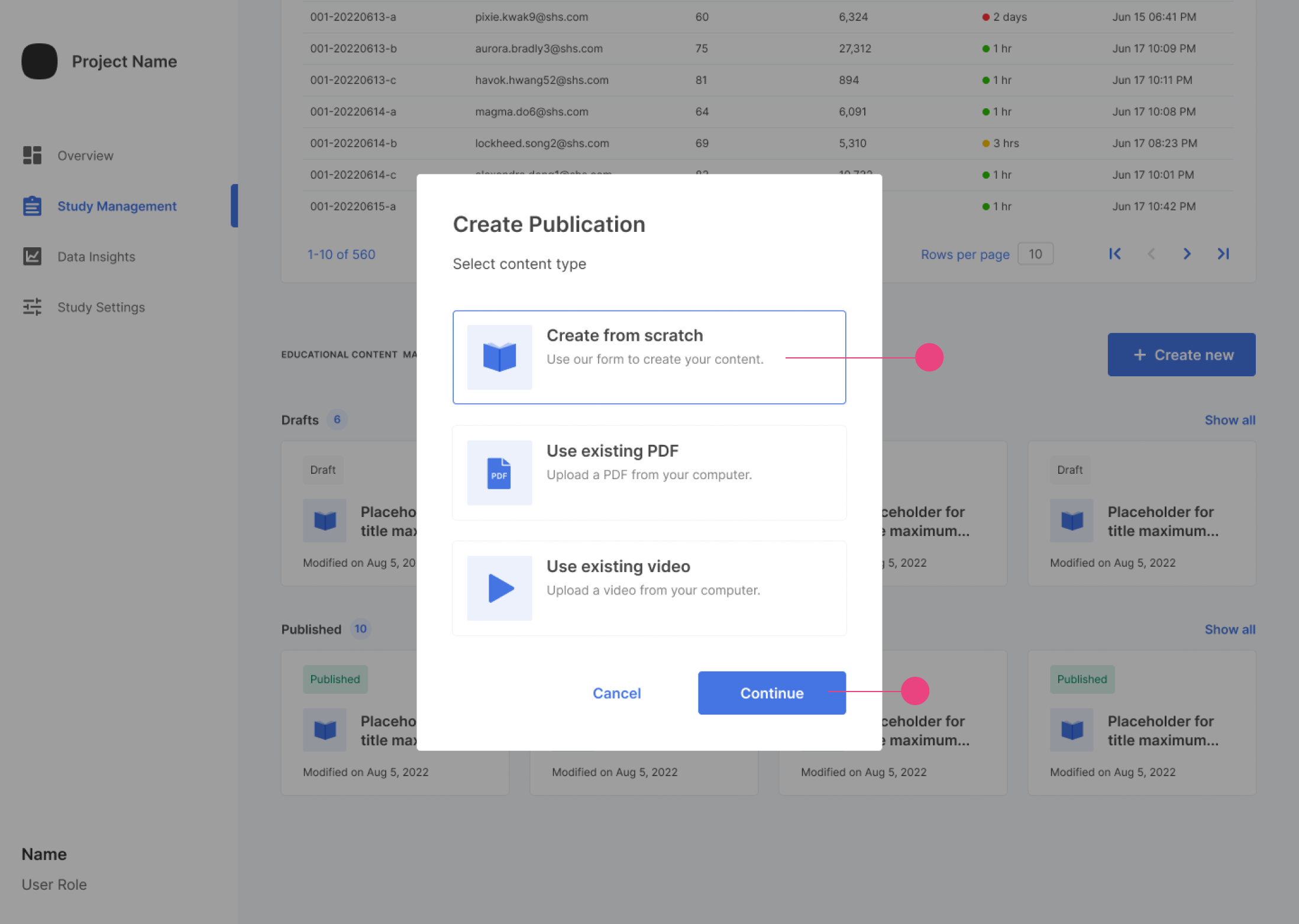
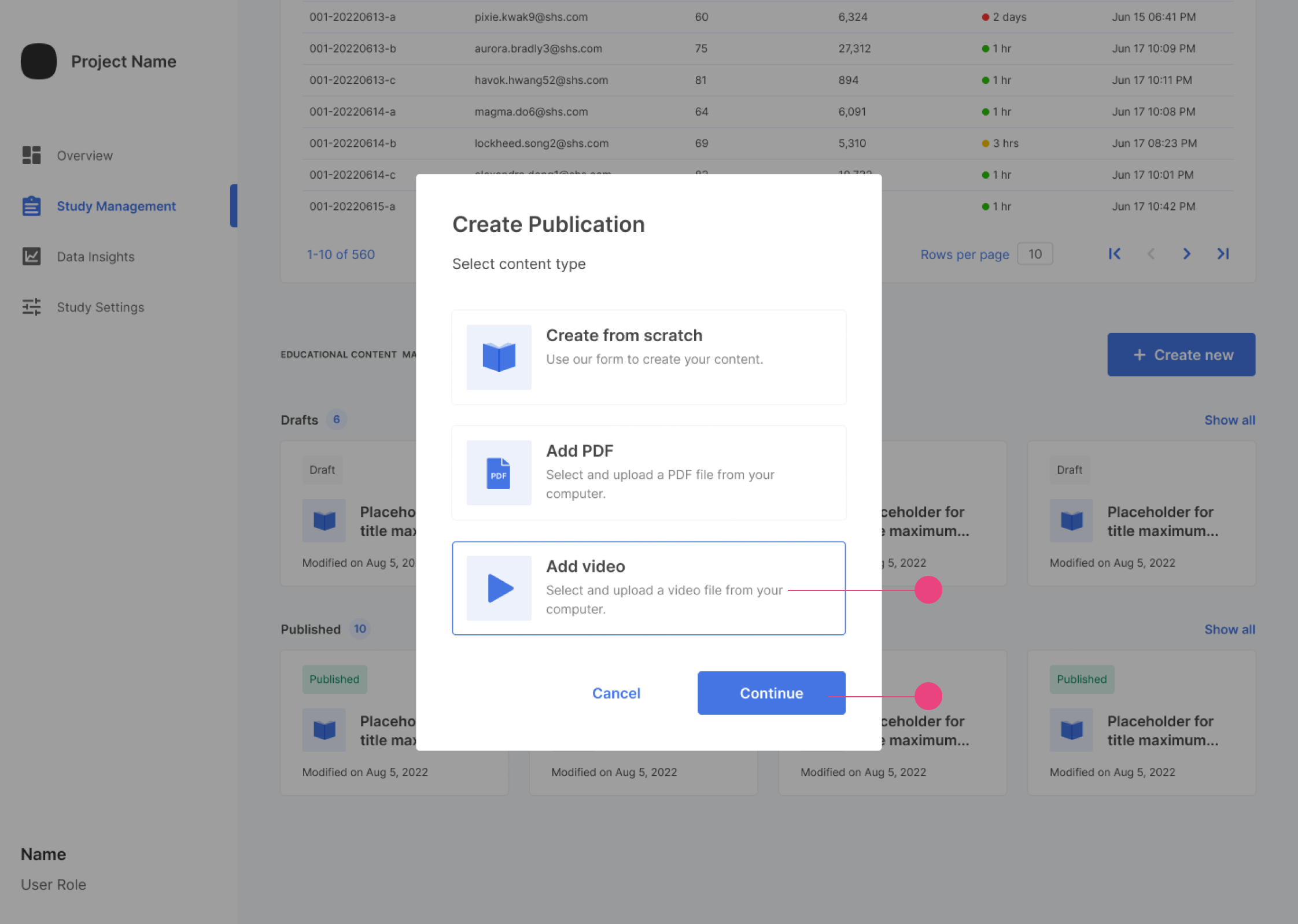
There are three different ways to create publications.
Create from Scratch
Use Existing PDF
Use Existing Video
Create from Scratch
To create a new publication, click Create from Scratch and then Continue.
This will start the process.
Add the needed information.
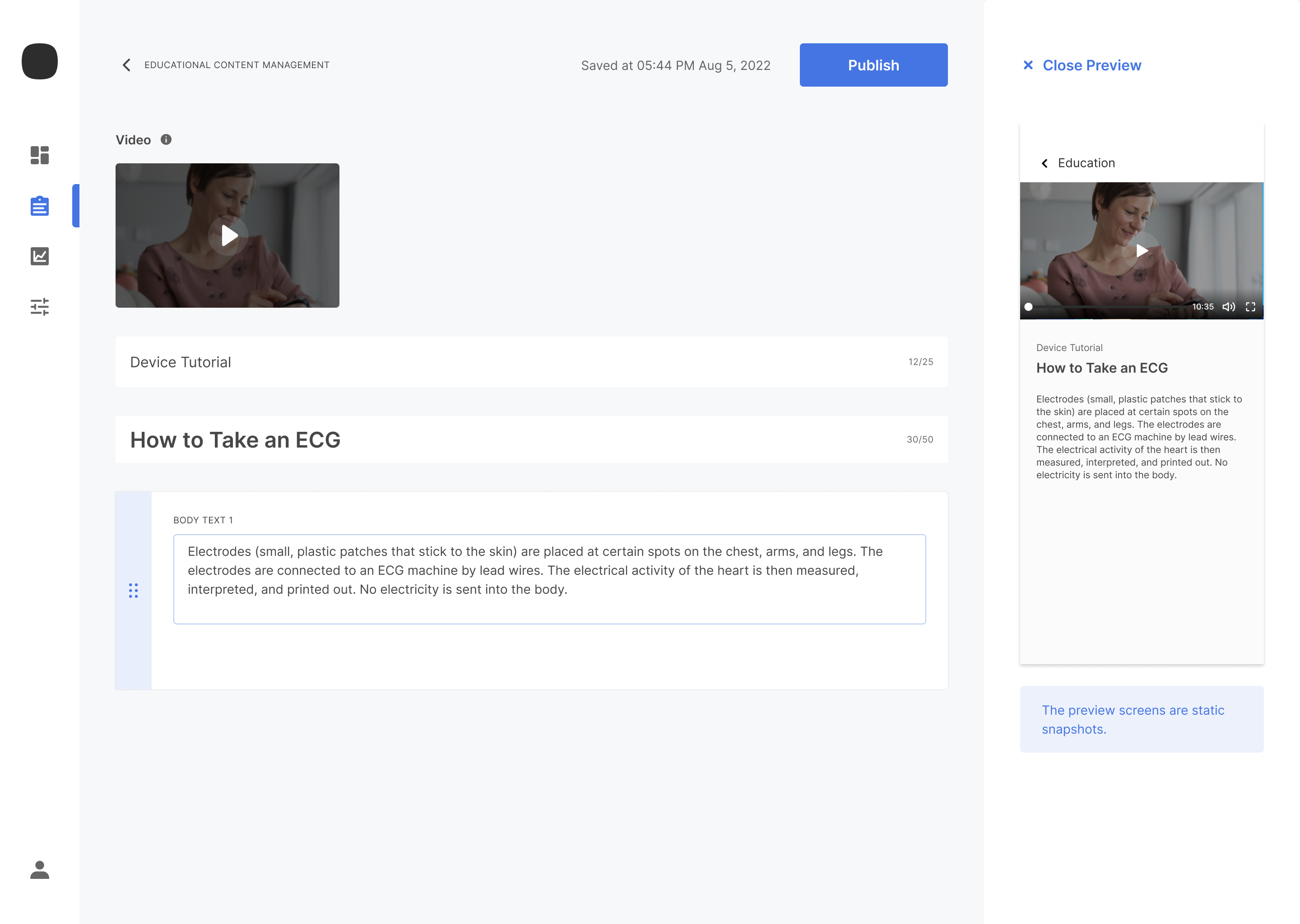
Once the information is added, you can preview the publication by clicking Preview and publish by clicking Publish.
You can select when the content will be published when Publish is clicked.
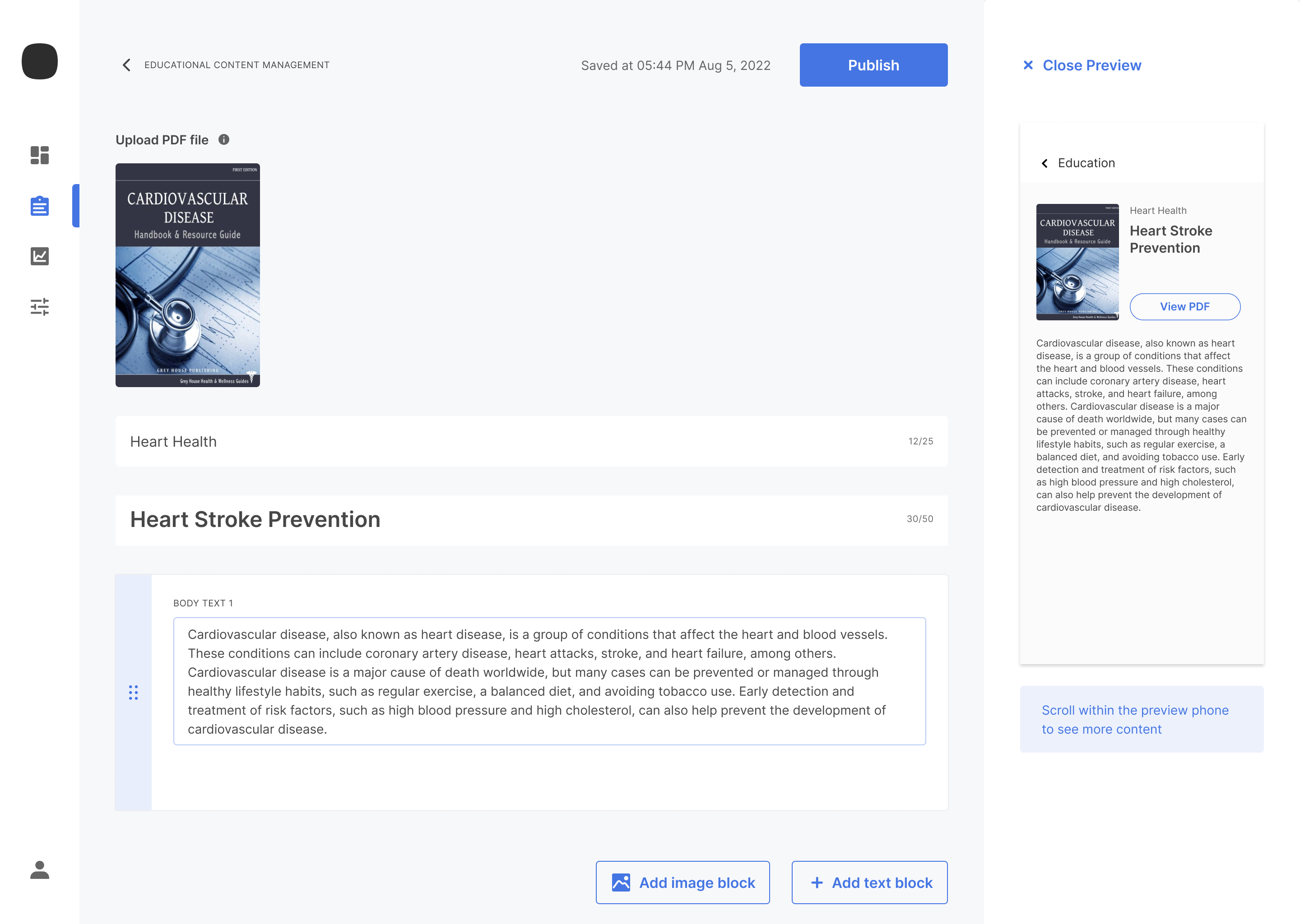
Add PDF
To create a publication using PDF, click Add PDF and then continue`.
You can add the PDF and any text along with the pdf.
Once information is added, you can preview and publish the publication similarly to Create from Scratch.
Use Existing Video
To create a publication using video, click Add video and then click Continue.
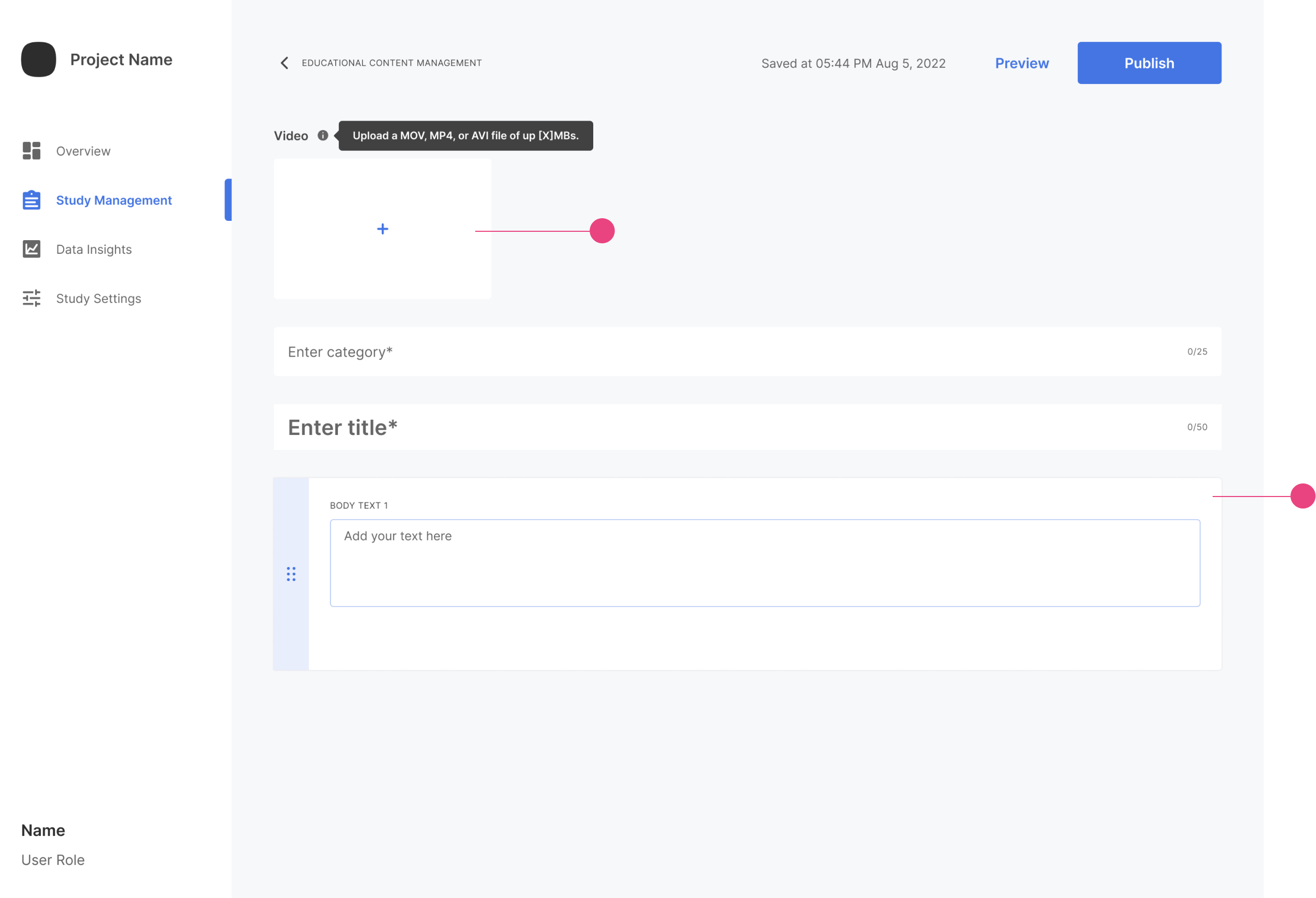
This will take you to the content creation page for video publication.
You can upload your video and add any necessary content. Once you add the information, you can preview and publish the publication similarly to other publications.
Managing Educational Content
You can view all the drafts and published items in the `Educational Content Management section.
Draft and Publication sections will expand by clicking on Show All to display all educational content cards in this category. Each Publication has a time estimation for it.
Reading Time Estimation
Reading estimation time varies for each type of publication. For PDFs, it is 30 seconds per page; for video, it is the video total time; for text-based publication, it is 30 seconds per page (before scrolling) OR 238 words per minute.
Manage Your Cookies
We use cookies to improve your experience on our website and to show you relevant
advertising. Manage you settings for our cookies below.
Essential Cookies
These cookies are essential as they enable you to move around the website. This
category cannot be disabled.
Company
Domain
Samsung Electronics
developer.samsung.com, .samsung.com
Analytical/Performance Cookies
These cookies collect information about how you use our website. for example which
pages you visit most often. All information these cookies collect is used to improve
how the website works.
Company
Domain
Samsung Electronics
.samsung.com
Functionality Cookies
These cookies allow our website to remember choices you make (such as your user name, language or the region your are in) and
tailor the website to provide enhanced features and content for you.
Company
Domain
Samsung Electronics
developer.samsung.com, google.account.samsung.com
Preferences Submitted
You have successfully updated your cookie preferences.