Samsung Wallet Cards integration connects four parts: the partner's customer channel, the partner back end, Samsung Wallet services and the Samsung Wallet app. The Wallet Partners Portal supplies the configuration and identifiers shared by those parts.
Component
Partner uses it to
Wallet Partners Portal
Register the organisation, configure a card programme and template, submit certificate information and manage launch status.
Partner customer channel
Present the Add to Samsung Wallet entry point on a website, app, email or message.
Partner back end
Generate protected card data and, where required, expose callbacks or call Samsung lifecycle APIs.
Samsung Wallet services and app
Validate the request, add and present the card, and exchange lifecycle events with the partner.
The identifiers must not be treated as interchangeable. The Partner ID identifies the onboarded organisation, the Card ID identifies a card programme, and refId identifies one logical card instance in that programme.
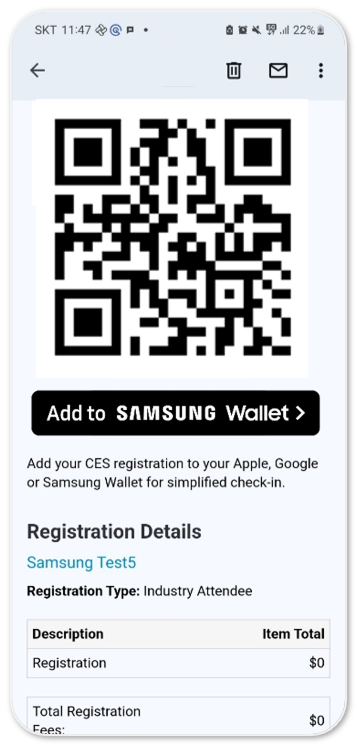
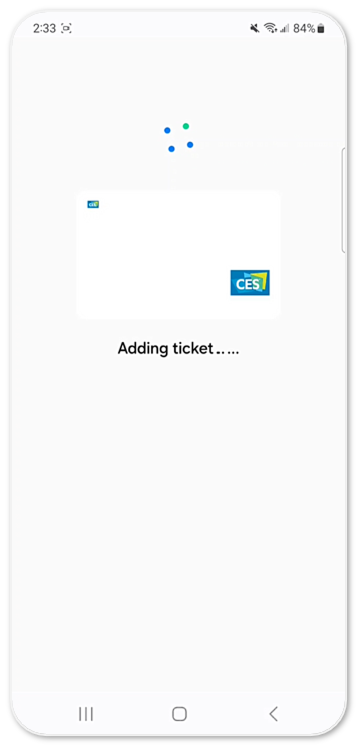
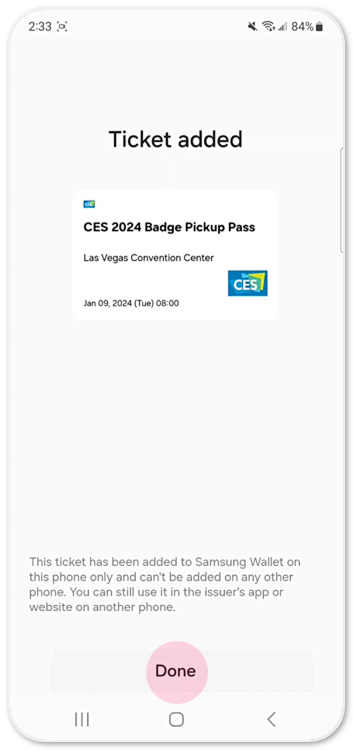
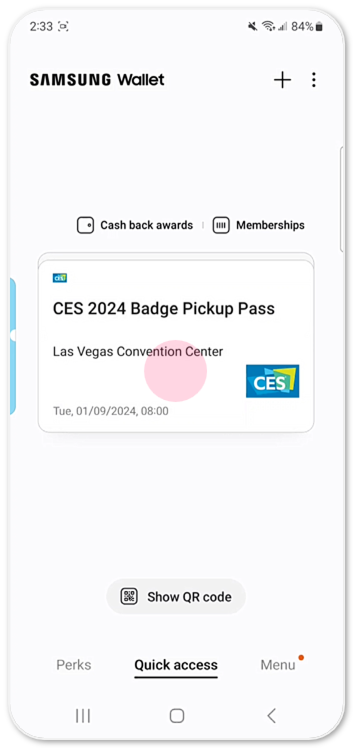
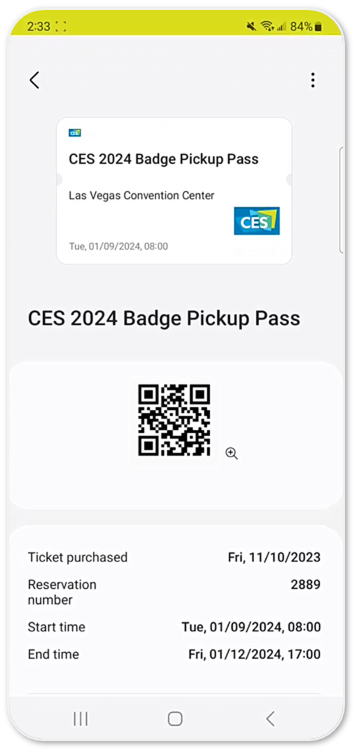
The following screens illustrate the user-visible result of an Add to Samsung Wallet journey. For the partner implementation sequence, use Build Your First Card.
Use a test or demo version of your website or mobile app that supports the Add to Wallet button. This helps users understand the end-to-end flow in a safe environment. You can also use the Add to Wallet Test Tool to simulate adding a card (such as a loyalty or offer card) to the wallet. Open the test tool in your browser. Select a sample pass type (e.g., Loyalty, Gift Card) and follow the instructions to add a sample card to your Wallet.
On the Samsung device, locate and open the Samsung Wallet app.
On the content provision page, select Add to Samsung Wallet.
Samsung Wallet adds the card.
The added ticket appears in Samsung Wallet.
Select the added card or ticket to view its details.
Review the card or ticket details, including its QR code.
Manage Your Cookies
We use cookies to improve your experience on our website and to show you relevant
advertising. Manage you settings for our cookies below.
Essential Cookies
These cookies are essential as they enable you to move around the website. This
category cannot be disabled.
Company
Domain
Samsung Electronics
developer.samsung.com, .samsung.com
Analytical/Performance Cookies
These cookies collect information about how you use our website. for example which
pages you visit most often. All information these cookies collect is used to improve
how the website works.
Company
Domain
Samsung Electronics
.samsung.com
Functionality Cookies
These cookies allow our website to remember choices you make (such as your user name, language or the region your are in) and
tailor the website to provide enhanced features and content for you.
Company
Domain
Samsung Electronics
developer.samsung.com, google.account.samsung.com
Preferences Submitted
You have successfully updated your cookie preferences.