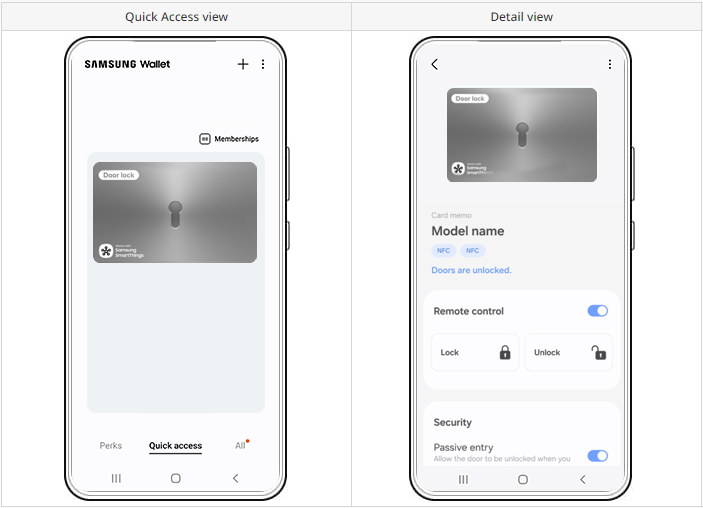
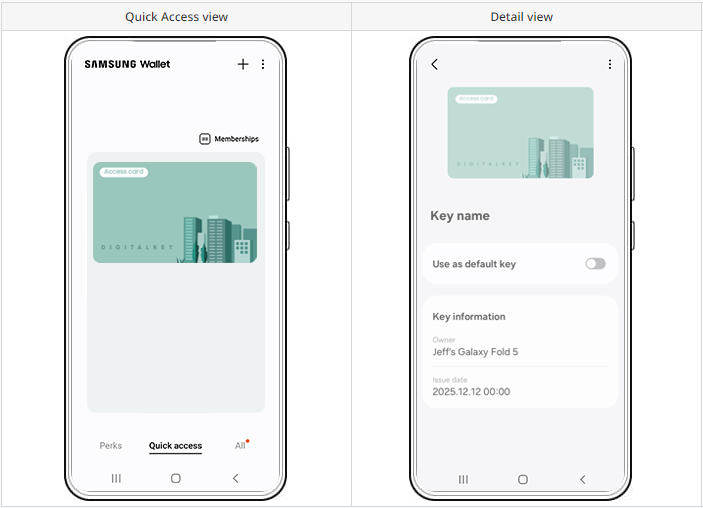
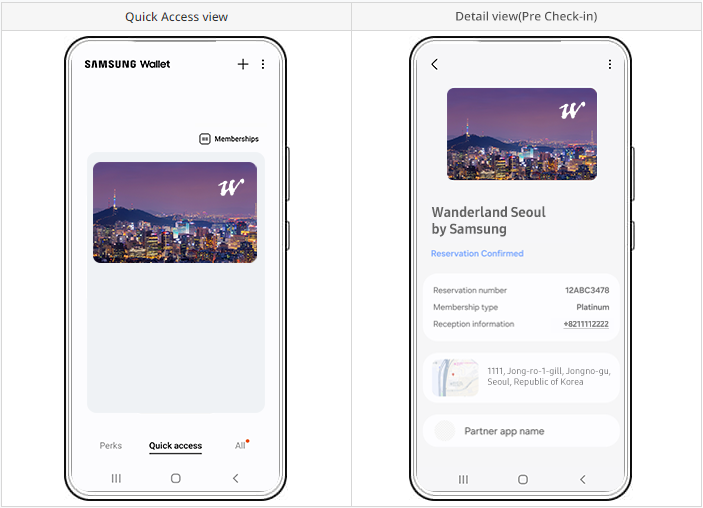
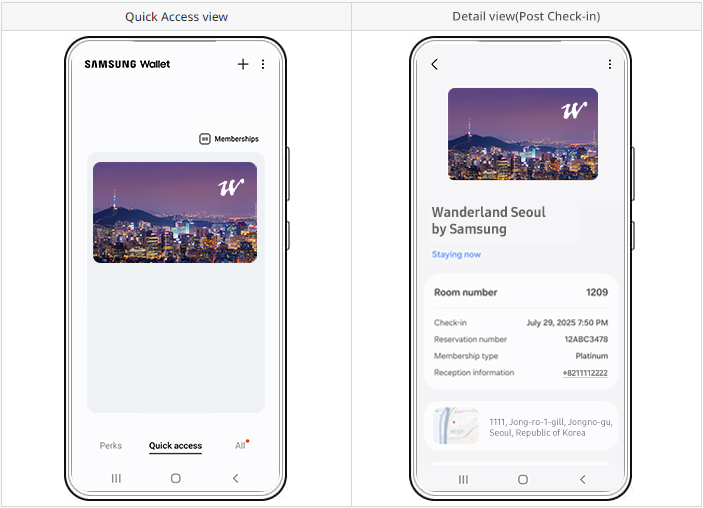
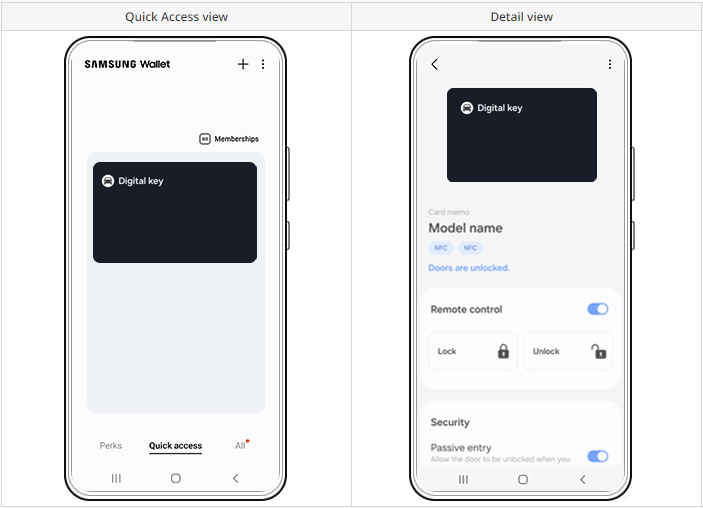
A Digital Key securely and conveniently grants access to homes, vehicles, and other entry points.
Wallet card type
Wallet card subtype
digitalkey
doors, residents, hotels, cars, others
Device Compatibility
For supported devices of the Home key, refer to 8.5. Device Compatibility section.
Notice:Car Key Onboarding
Car Key integration requires a separate onboarding process and is limited to partners who have completed prior consultation and contractual agreement with Samsung.
Eligible partners must complete the partner registration procedure in the designated Partner Portal.
Upon successful registration and approval, authorized partners may access a dedicated Guide Page within the Partner Portal to download the required technical documentation and software packages necessary for Car Key integration.
The dedicated Guide Page is currently under preparation and will be made available in a future update.
doors
residents
hotels
cars
Wallet Card data fields
[Attributes]
Type
Value
Description
attributes.{fields}
title String(32)
(Required) Main title of cards. e.g., Multifamily Housing.
holderName String(64)
(Optional) Name of card holders.
userGroup String(64)
(Optional) Group info of card holders belonging. i.e., name of MFH
Identifier String(64)
(Required) Unique identifier.
keyId String(64)
(Optional) Representative value for a key.
keyStatus String(16)
(Conditional) Key
keyInfo String(64)
(Optional) Key Information. i.e., Unique house number.
issueDate Long(13)
(Required) Issue date Epoch timestamp in milliseconds.
expiry Long(13)
(Optional) Expiry date in timestamp format. Issued data is cleaned up after it expires. Epoch timestamp in milliseconds.
address String(256)
(Optional) Address of card holders.
providerName String(32)
(Required) Content provider name.
issuerName String(32)
(Optional) Place of issue or Issuing authority name.
(Optional) Text of the notice * Long content is allowed. * See Additional Information format.
csInfo String(4096)
(Required) Providers’ customer service Information. Using data in JSON format converted to escape string. * Allowed items: call, email, or website. * See the example below.
appLinkLogo String(256)
(Optional) App link image URL. The file size should not exceed 256 kB.
appLinkName String(32)
(Optional) App link name.
appLinkData String(256)
(Optional) Information about the partner app link.
locations String(1024)
(Optional) List of locations where the card can be used. * See Location format.
logoImage String(256)
(Optional) Logo image URL to be displayed in card item The file size should not exceed 256 kB
logoImage.darkUrl String(256)
(Optional) Logo image URL in dark mode. The file size should not exceed 256 kB. * If this value does not exist, logoImage will be substituted.
logoImage.lightUrl String(256)
(Optional) Logo image URL in light mode. The file size should not exceed 256 kB. * If this value does not exist, logoImage will be substituted.
logoText String(16)
(Optional) Text as an alternative to logoImage.
coverImage String(256)
(Optional) Card cover image URL. The file size should not exceed 512 kB. The recommended size for image resources is 888 x 555 px.
bgImage String(256)
(Optional) Card background image URL. The file size should not exceed 512 kB. The recommended size for image resources is 888 x 555 px.
bgColor String(8)
(Optional) Color of the card art. Support Hex color code. e.g., #015AAA
fontColor String(8)
(Optional) Color of the font on the card art. Allowed value: black, white.
blinkColor String(8)
(Optional) Color of the blinking effect in the Indicator area. Support Hex color code. e.g., #015AAA
privacyModeYn String(1)
(Optional) Whether or not to require user authentication when using the card. Either ‘Y’ or ‘N’. * Default: ‘N’
preventCaptureYn String(1)
(Optional) Flag whether this wallet card view prevents screen capture. Either 'Y' or 'N'. * Default: 'N'
(Optional) Elements to complete provisioning * Refer to Access Integration Guide. Samsung approval required. Contact Technical Support.
provision.interval String(16)
(Optional) Update interval if support for dynamic updates Epoch timestamp in milliseconds * Refer to Access Integration Guide. Samsung approval required. Contact Technical Support.
barcode.value String(4096)
(Optional) Actual data that is delivered when the barcode/QR code is scanned.
(Optional) Amount of redundancy or error correction data included in the code. There are four error correction levels available in QR codes. Code options: L/M/Q/H * Default: L
barcode.Interval String(4)
(Optional) Update interval if support for dynamic updates. Epoch timestamp in milliseconds.
We use cookies to improve your experience on our website and to show you relevant
advertising. Manage you settings for our cookies below.
Essential Cookies
These cookies are essential as they enable you to move around the website. This
category cannot be disabled.
Company
Domain
Samsung Electronics
developer.samsung.com, .samsung.com
Analytical/Performance Cookies
These cookies collect information about how you use our website. for example which
pages you visit most often. All information these cookies collect is used to improve
how the website works.
Company
Domain
Samsung Electronics
.samsung.com
Functionality Cookies
These cookies allow our website to remember choices you make (such as your user name, language or the region your are in) and
tailor the website to provide enhanced features and content for you.
Company
Domain
Samsung Electronics
developer.samsung.com, google.account.samsung.com
Preferences Submitted
You have successfully updated your cookie preferences.