Samsung In-App Purchase (IAP) allows you to test in-app product offerings (when your app retrieves and displays product details and prices) and in-app item purchase and payment.
For each in-app item you want to test, you or your testers should:
Verify the product offering
Test item purchase
Verify the purchase result
Test item repurchase
Verify the product offering
In the app, trigger the display of each in-app product details and price.
Verify that this in-app product information matches what is registered in Seller Portal.
Test item purchase
In the app, initiate the purchase of an in-app item.
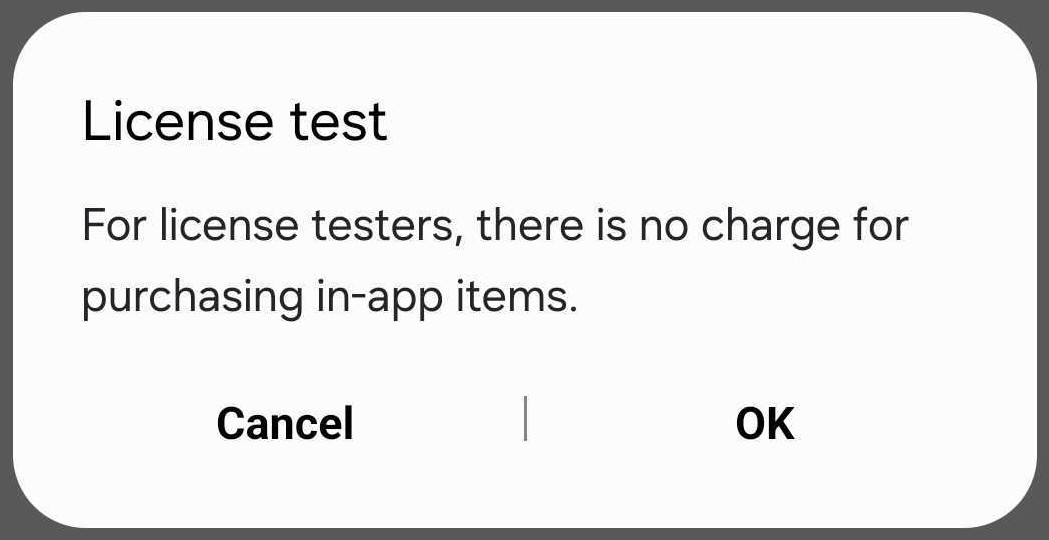
If you are a license tester in the sandbox test environment, you will see the following prompt. Click OK in the License test popup.
License tester purchase confirmation popup
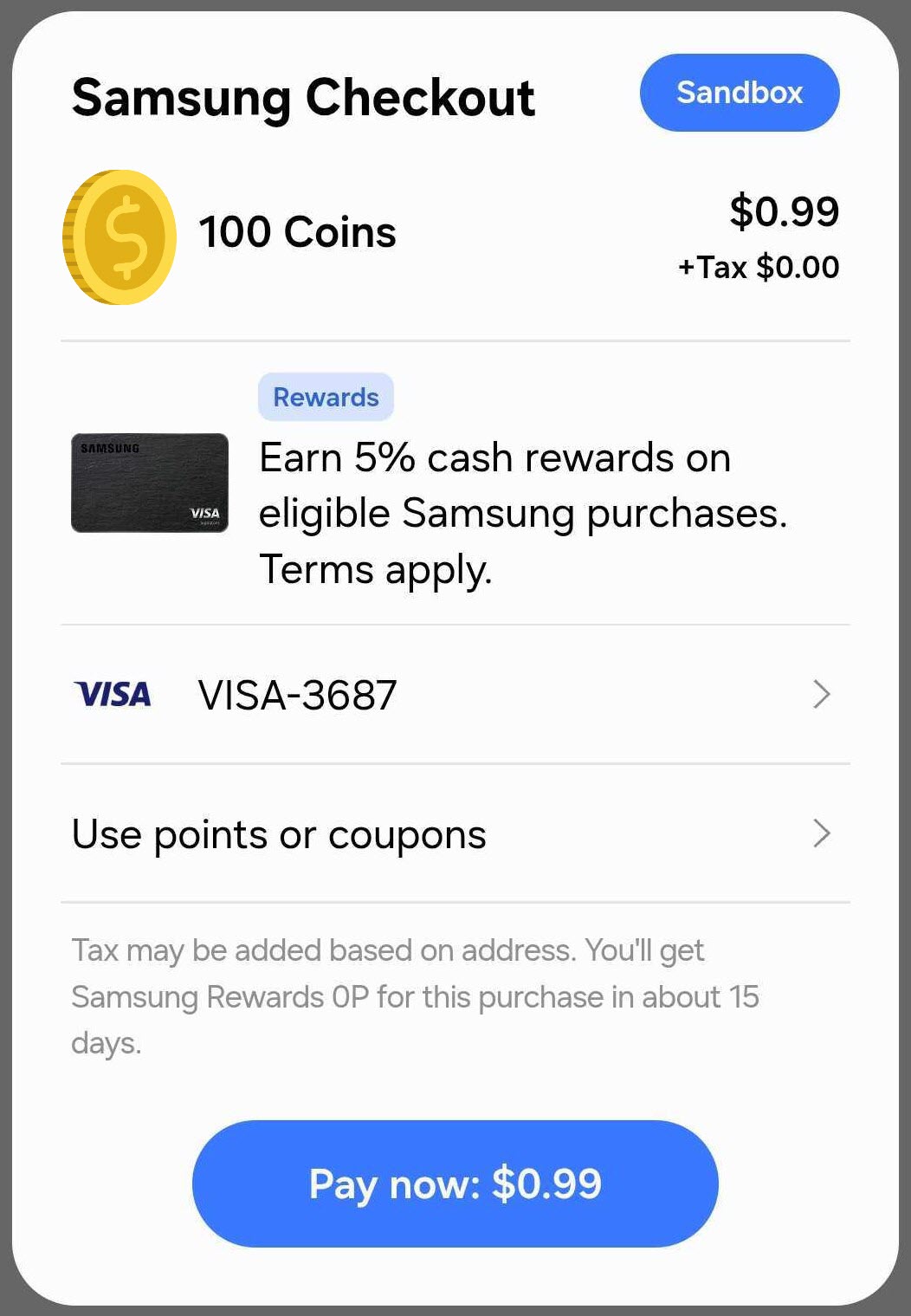
In the purchase popup, verify the following:
Product details match those registered in Seller Portal
Payment method and payment information are correct
NoteFor no-charge transactions, a Sandbox icon is displayed in the purchase popup. if you do not see the icon, you will be charged for the purchase.
Purchase popup with Sandbox icon
Click [Pay now].
Verify the purchase result
Test Type
IAP Operation Mode
Expected Result
Always Successful
OPERATION_MODE_TEST
If your app includes a payment confirmation message, a payment-complete message displays
The purchased item is delivered to the license tester's account
A purchase confirmation email is sent
A license tester is not charged
Note that a non-license tester cannot purchase an item (they can only view the offering)
Always Fail
OPERATION_MODE_TEST_FAILURE
Testers cannot view your in-app product offerings
Closed Beta — Successful Purchase
OPERATION_MODE_PRODUCTION
If your app includes a payment confirmation message, a payment-complete message displays
The purchased item is delivered to the tester's account
A purchase confirmation email is sent
A license tester is not charged for the purchase
A non-license tester is charged for the purchase
Closed Beta — Failed Purchase
OPERATION_MODE_PRODUCTION
If your app includes a payment confirmation message, a payment-failed message displays
The item is not delivered to the tester's account
The license tester or non-license tester is not charged
Test item repurchase
Repurchase consumable and non-consumable items.
NoteA license tester can repurchase a non-consumable item every 10 minutes in test mode or during a Closed Beta Test.
Manage Your Cookies
We use cookies to improve your experience on our website and to show you relevant
advertising. Manage you settings for our cookies below.
Essential Cookies
These cookies are essential as they enable you to move around the website. This
category cannot be disabled.
Company
Domain
Samsung Electronics
developer.samsung.com, .samsung.com
Analytical/Performance Cookies
These cookies collect information about how you use our website. for example which
pages you visit most often. All information these cookies collect is used to improve
how the website works.
Company
Domain
Samsung Electronics
.samsung.com
Functionality Cookies
These cookies allow our website to remember choices you make (such as your user name, language or the region your are in) and
tailor the website to provide enhanced features and content for you.
Company
Domain
Samsung Electronics
developer.samsung.com, google.account.samsung.com
Preferences Submitted
You have successfully updated your cookie preferences.