Tizen TV Extension is an auxiliary extension of Tizen Extension, VS Code Tizen TV Extension that adds features specific for developing applications for Tizen TV.
Features
XML Editor UI
UI to edit config.xml (webapp) and tizen-manifest.xml (dotnet).
Tizen TV: Create Flutter Project
UI to create Flutter Project (requires setting up of flutter environment manually)
Tizen TV: Samsung TV App Development Guide
This command links to Smart TV - Develop | Samsung Developers, where developer learn how to extend apps to the big screen. Create seamless TV and mobile experiences with the latest Tizen TV SDK.
Tizen TV: Samsung Developers
This command links to the Samsung Developer portal, where developers can access additional resources, tools, and community support for Tizen TV application development, including SDKs, APIs, and forums for collaboration and troubleshooting.
Flutter Tizen TV: Create New Project
This feature allows developers to generate a new Flutter Tizen application project using predefined templates, providing a quick and structured starting point for development.
Flutter Tizen TV: Run Flutter Doctor
This command runs flutter doctor to check the environment setup for Flutter Tizen development, ensuring all necessary dependencies and configurations are correctly installed and configured.
Flutter Tizen TV: Clean Project
This option cleans the project directory, removing any generated files or build artifacts to ensure a fresh build environment, which can help resolve issues related to outdated or corrupted files.
Flutter Tizen TV: Run Application
This feature compiles and runs the Flutter Tizen application on the selected target, such as the TV Simulator, TV Emulator, or a physical Tizen TV device, enabling developers to test and debug their applications in real-time.
Flutter Tizen TV: Analyze Project
This command runs static code analysis on the project, identifying potential issues, warnings, or errors in the codebase, helping developers maintain clean and efficient code.
Flutter Tizen TV: Install Application
This feature packages and installs the Flutter Tizen application onto the selected target device, allowing developers to test the application on actual hardware or emulated environments.
Flutter Tizen TV: Launch Emulator
This option starts the Tizen TV Emulator, providing a virtual environment for testing and debugging Flutter Tizen applications without requiring physical hardware.
Flutter Tizen TV: Device List
This feature displays a list of connected Tizen TV devices and emulators, enabling developers to select the appropriate target for running or installing their applications.
Flutter Tizen TV: Generator Localization
This tool assists in generating localization files for the Flutter Tizen application, supporting multilingual functionality by creating and managing translation resources for different languages.
Prerequisite
To ensure proper function of Tizen TV Extension, make sure the following are setup correctly.
Tizen Extension
Tizen Extension (tizen.vscode-tizen-csharp) is strictly required. Tizen Extension setup should be complete - see Installing Visual Studio Code Extension For Tizen for more details.
Note: In case Tizen Extension is not yet installed during Tizen TV Extension installation, it will be installed automatically.
Installation
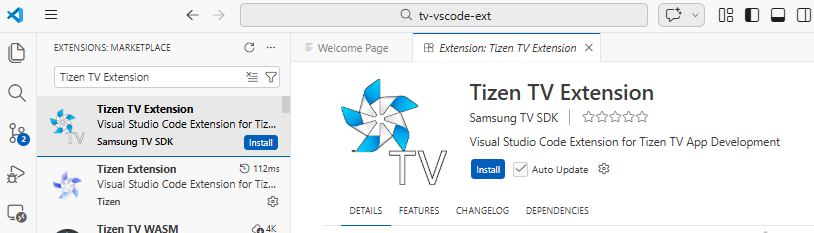
Go to VS Code Extension Manager and search for "Tizen TV" and click install. Make sure that publisher is "samsungtvsdk".
Setup
Installing Tizen TV Extension
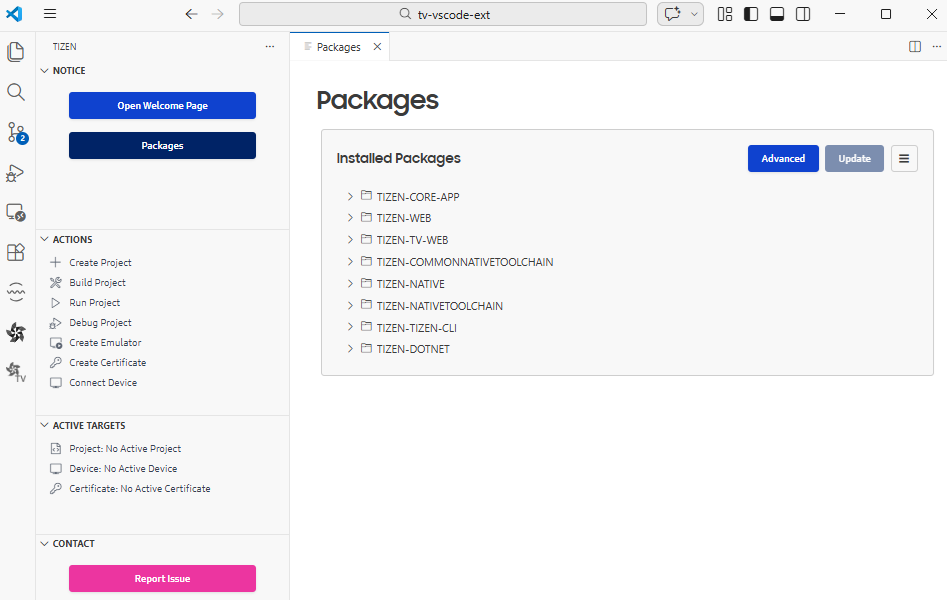
Go to Tizen Extension Activity Bar and click on "Packages":
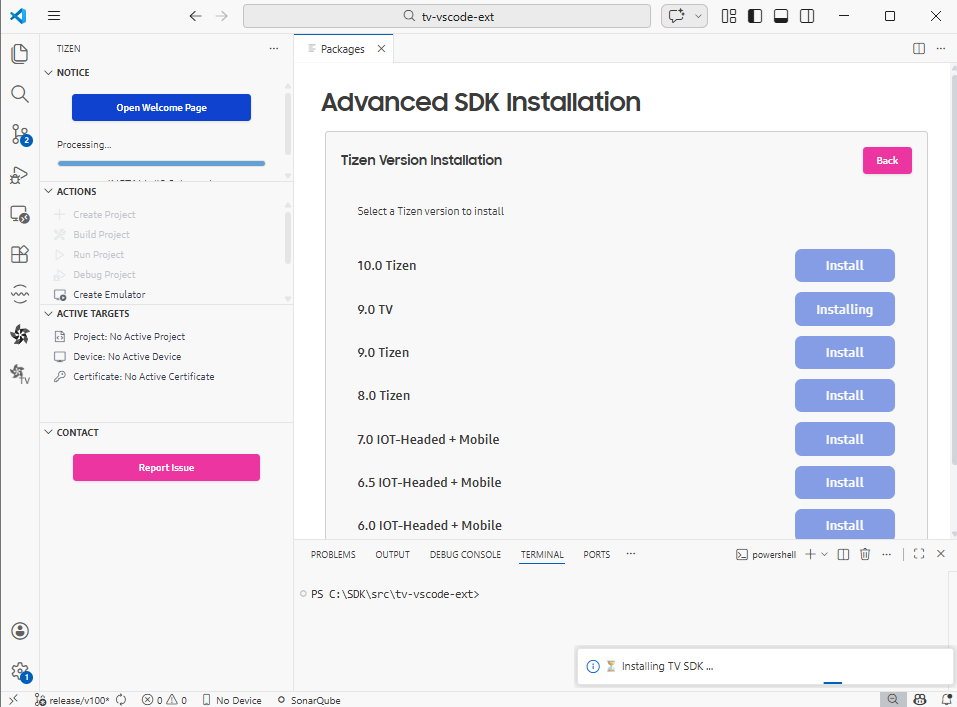
Clicked on "Advanced" and install latest TV extension:
In example above, TV extension version is 9.0
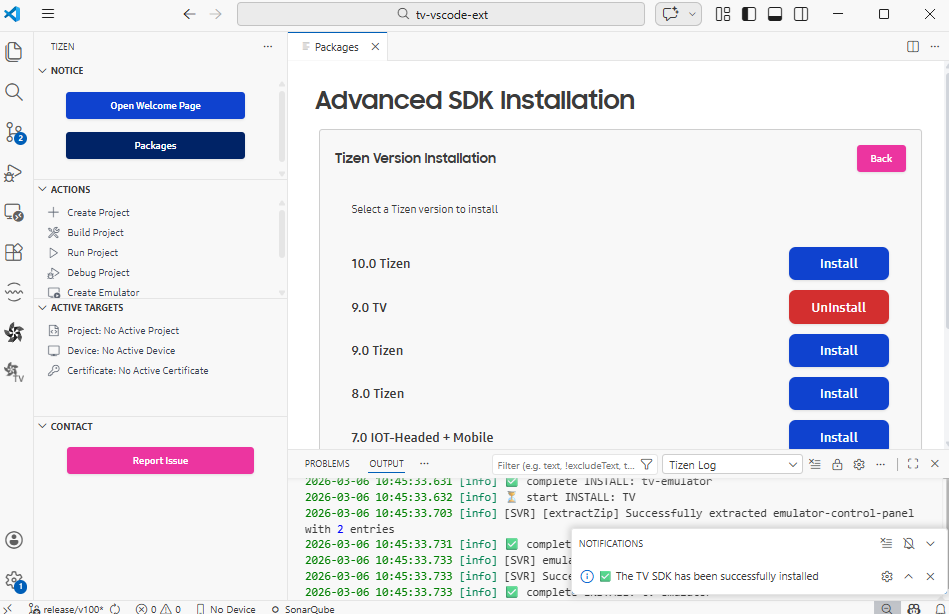
Wait for installation to complete:
Setting up Flutter
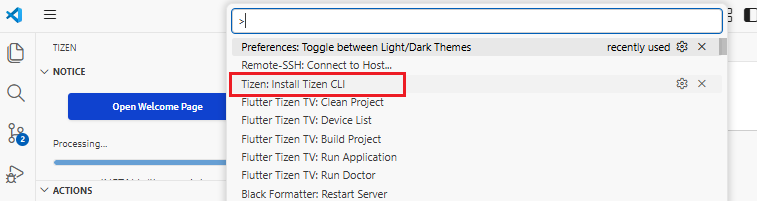
Install Tizen CLI
Go to command and execute "Tizen: Install Tizen CLI"
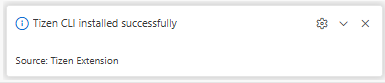
Wait for installation to complete.
Install IOT-Headed 6.0
IOT-Headed 6.0 is required for flutter.
Go to Tizen Extension Activity Bar and click on "Packages":
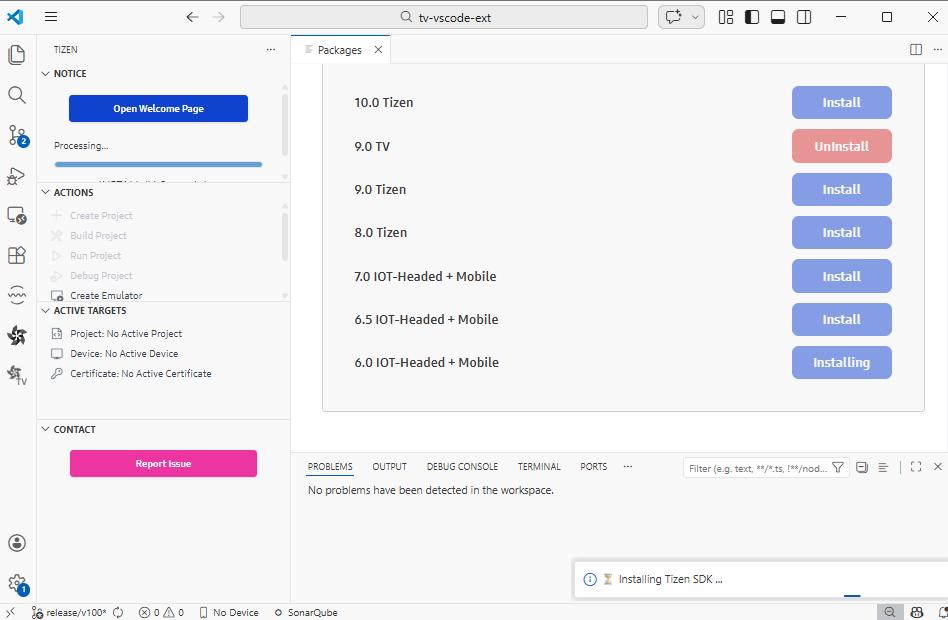
Clicked on "Advanced" and install "6.0 IOT-Headed + Mobile":
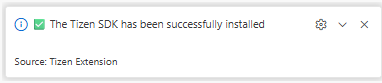
Wait for installation to complete:
Setup Flutter Environment
Install flutter from github using guide based on environment:
When config.xml or tizen-manifest.xml is open in custom XML editor and there are unsaved changes, it will be discarded once xml file is edited using VS Code editor or outside editors.
When config.xml or tizen-manifest.xml is open in VS Code text editor and there are unsaved changes, it will be discarded once xml file is edited using custom XML editor.
Manage Your Cookies
We use cookies to improve your experience on our website and to show you relevant
advertising. Manage you settings for our cookies below.
Essential Cookies
These cookies are essential as they enable you to move around the website. This
category cannot be disabled.
Company
Domain
Samsung Electronics
developer.samsung.com, .samsung.com
Analytical/Performance Cookies
These cookies collect information about how you use our website. for example which
pages you visit most often. All information these cookies collect is used to improve
how the website works.
Company
Domain
Samsung Electronics
.samsung.com
Functionality Cookies
These cookies allow our website to remember choices you make (such as your user name, language or the region your are in) and
tailor the website to provide enhanced features and content for you.
Company
Domain
Samsung Electronics
developer.samsung.com, google.account.samsung.com
Preferences Submitted
You have successfully updated your cookie preferences.