This topic describes how to prelaunch an application. Prelaunching allows an application to launch more quickly by loading it in the background when the Samsung TV is switched on.
The prelaunching functionality allows several applications to load in the background when the Samsung TV is switched on. When the user runs a prelaunched application, it launches immediately with no loading time. The number of applications that can be prelaunched depends on the TV model and available runtime memory.
The following table lists the Samsung TV models that support prelaunching. It is not supported anymore since 2019 smart TV. Prelaunching is supported on the TV emulator.
Model Year
Model Year
2018
Only for QTV
2017
Only for 17TV_PREMIUM
2016
16TV_STANDARD1 and higher
2015
All models 9000 and higher Some models below 9000
Table 1. Samsung TV models supporting prelaunching
Prelaunching on 2016 ~ 2018 Models
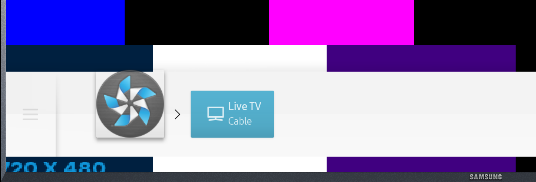
From 2016 to 2018 models, prelaunching is enabled for applications by default. Applications on the left side of the Smart Hub launcher are prelaunched when the TV is switched on.
You can test application prelaunching by adding your application to the Smart Hub launcher:
On the TV, open the "Smart Hub" and select the "Apps" panel.
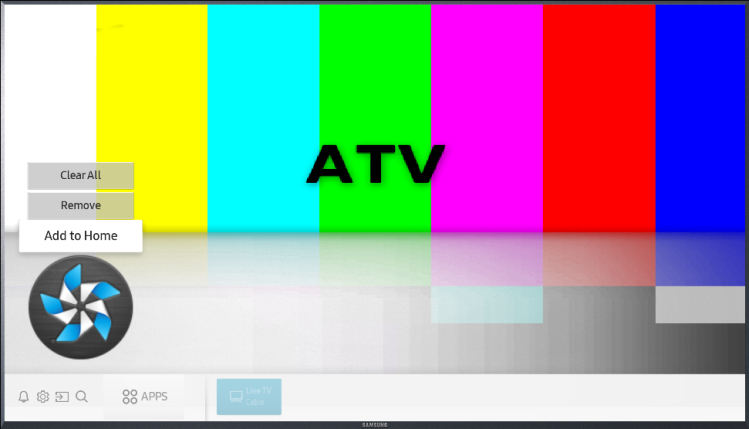
Highlight your application, click "Up" to select "Add to Home", and click "OK".
Move the application icon to the left side of the launcher using the arrow keys.
Click "OK" to place the application.
Reboot the TV. The applications on the left side of the launcher are prelaunched.
Prelaunching on 2015 Models
Prelaunching is disabled by default on 2015 models. To enable prelaunching for your application on a 2015 model, add the following line to the "config.xml" file:
If the application has been used recently, it prelaunches and appears in the launcher on TV startup.
Manage Your Cookies
We use cookies to improve your experience on our website and to show you relevant
advertising. Manage you settings for our cookies below.
Essential Cookies
These cookies are essential as they enable you to move around the website. This
category cannot be disabled.
Company
Domain
Samsung Electronics
developer.samsung.com, .samsung.com
Analytical/Performance Cookies
These cookies collect information about how you use our website. for example which
pages you visit most often. All information these cookies collect is used to improve
how the website works.
Company
Domain
Samsung Electronics
.samsung.com
Functionality Cookies
These cookies allow our website to remember choices you make (such as your user name, language or the region your are in) and
tailor the website to provide enhanced features and content for you.
Company
Domain
Samsung Electronics
developer.samsung.com, google.account.samsung.com
Preferences Submitted
You have successfully updated your cookie preferences.