To embed a WebAssembly module in your Web application project:
Create a new Web application project if needed (it does not have to be a WebAssembly-enabled project since there is no C/C++ source code to build).
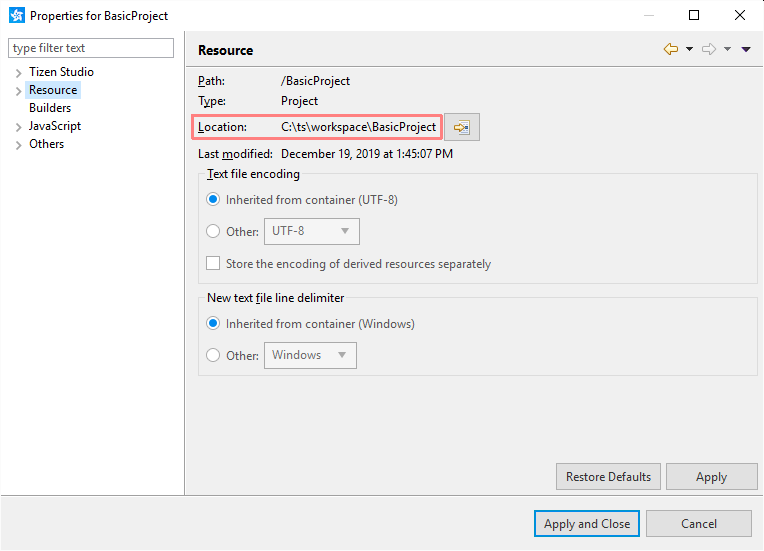
Copy all of the WASM module files to the Web application project. To find the project's location:
Right-click the project and select "Properties"
Click "Resource" in the project's properties tree
Check the "Location" property.
If you used the WebAssembly sample application, extract all its files to the Web application project location.
Refresh the Web application project by clicking it in the Project Explorer and pressing F5.
Make sure that the <content src="index.html"/> tag in the "config.xml" file points to an HTML file that either embeds the WASM modules directly or refers other HTML/JS files that do that.
For the WebAssembly sample application the tag must read: <content src="hello.html"/>
Once all the required files are in place, you can run the Web application to verify that it works properly. For more information, see Running WebAssembly Applications.
NoteRunning and debugging Web application projects works the same way for both regular (HTML+JS only) and WebAssembly-enabled projects.
Manage Your Cookies
We use cookies to improve your experience on our website and to show you relevant
advertising. Manage you settings for our cookies below.
Essential Cookies
These cookies are essential as they enable you to move around the website. This
category cannot be disabled.
Company
Domain
Samsung Electronics
developer.samsung.com, .samsung.com
Analytical/Performance Cookies
These cookies collect information about how you use our website. for example which
pages you visit most often. All information these cookies collect is used to improve
how the website works.
Company
Domain
Samsung Electronics
.samsung.com
Functionality Cookies
These cookies allow our website to remember choices you make (such as your user name, language or the region your are in) and
tailor the website to provide enhanced features and content for you.
Company
Domain
Samsung Electronics
developer.samsung.com, google.account.samsung.com
Preferences Submitted
You have successfully updated your cookie preferences.